

What is a Cardano wallet?
A Cardano wallet is an application or device that allows you to store, send, and receive ADA, the cryptocurrency of the Cardano network. The wallet gives you control over your funds and direct access to the Cardano blockchain.
Unlike a traditional bank account, a crypto wallet operates based on private keys and a recovery phrase (seed phrase). These are used to confirm that you are the owner of the funds.
How a crypto wallet works
A crypto wallet does not “hold” the coins within the application. Cryptocurrencies exist on the blockchain, and the wallet provides access to them through private keys.
When you create a new wallet, you have several benefits: 1) you receive a public address (this is the address where other users can send you funds); 2) you can receive ADA in the wallet; 3) you can send ADA to other addresses; 4) you control the funds through the private key and seed phrase.
For this reason, wallet security is very important.
Difference between a wallet and an exchange
Many beginners confuse wallets with crypto exchanges, but they have different roles.
An exchange is a platform where you can buy or sell cryptocurrencies. Popular examples are Binance, Kraken, Abarai, or Coinbase.
A wallet is where you maintain control over cryptocurrencies after purchase.
For example, after users buy ADA from an exchange or a crypto platform, the coins can be sent to a personal wallet for more control and security.
Why self-custody is important
Self-custody means that only you control access to your funds through the seed phrase and private key.
When ADA is kept directly on an exchange, the user does not have complete control over the funds. For this reason, many people prefer to use a personal wallet for long-term cryptocurrency storage.
A personal wallet offers:
- complete control over ADA;
- direct access to funds;
- the possibility of staking;
- independence from centralized platforms.
In return, the responsibility for security lies with the user. If the seed phrase is lost, access to funds cannot be recovered.
Types of Cardano wallets
There are several types of Cardano wallets, and the right choice depends on the user’s experience and how they will use ADA. Some wallets are simpler and suitable for beginners, while others offer advanced features and more control.
In general, Cardano wallets are divided into two categories:
- software wallets;
- hardware wallets.
Software wallets
Software wallets are applications installed on a phone or computer and represent the most popular choice for new users.
These wallets allow:
- storing ADA;
- sending and receiving transactions;
- staking;
- connecting to applications in the Cardano ecosystem. The most popular Cardano wallets are:
- Lace;
- Yoroi;
- Eternl.
The main advantage is simplicity and quick access to funds. However, security depends greatly on the user’s device and how the seed phrase is stored.
Lace Wallet
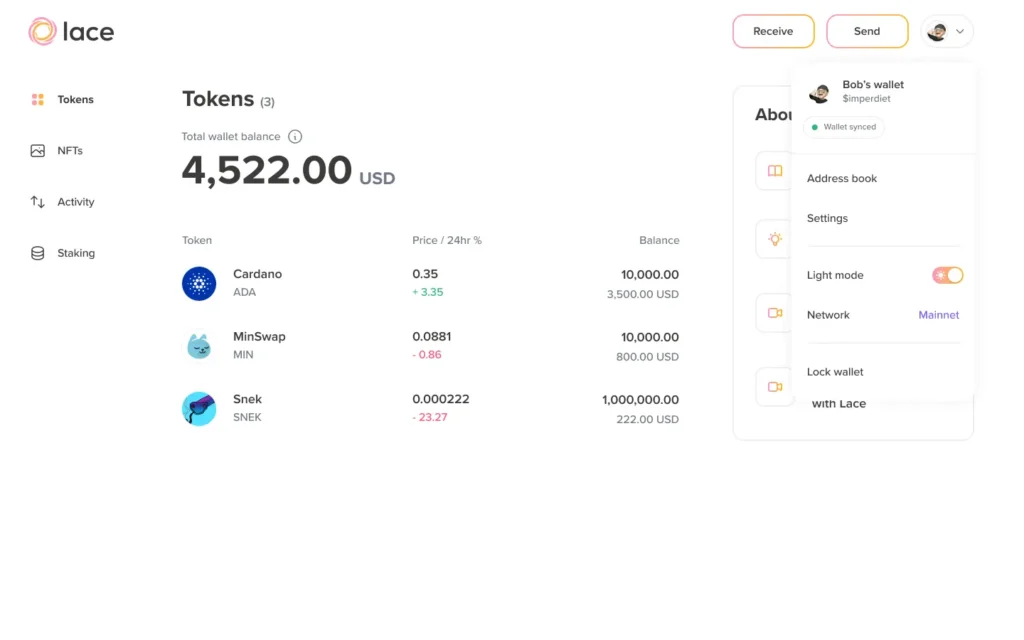
Lace is the official wallet developed in the Cardano ecosystem and is considered one of the simplest options for beginners.
The interface is modern and easy to use, and the wallet creation process takes only a few minutes. Lace allows:
- storing ADA;
- staking;
- connecting to Web3 applications;
- simple fund management.
For users creating their first Cardano wallet, Lace is often the simplest choice.
Yoroi Wallet
Yoroi is one of the most well-known Cardano wallets and is appreciated for its simplicity and low resource consumption.
The wallet can be installed as a browser extension or mobile app and is suitable for users who want a fast and easy-to-use wallet.
Yoroi offers essential functions for:
- storing ADA;
- sending transactions;
- staking;
- accessing the Cardano network.
Eternl Wallet
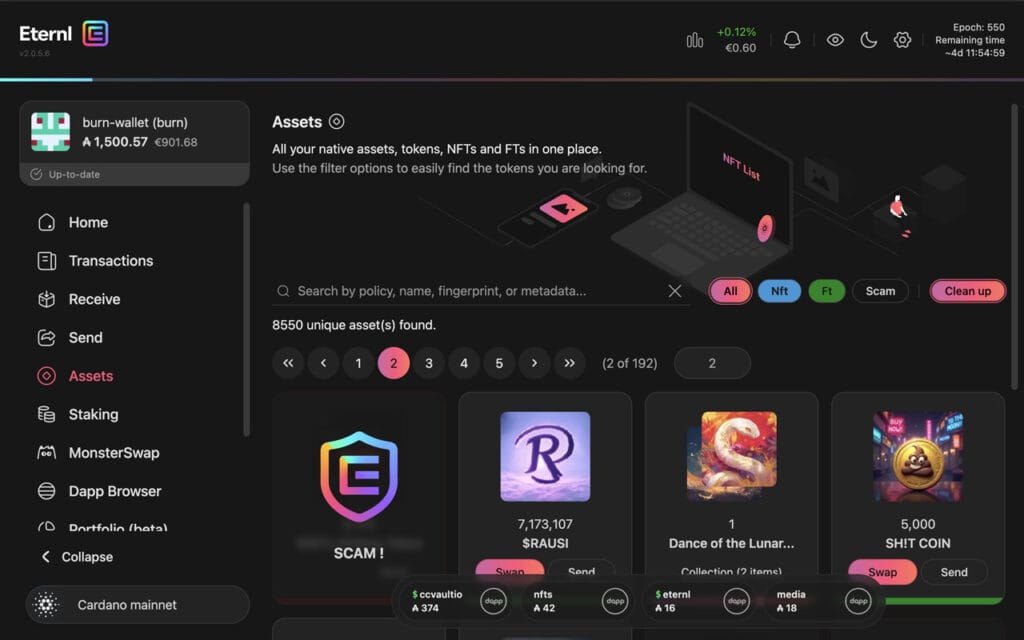
Eternl is a more advanced Cardano wallet, preferred by users who want additional features and more control over their portfolio.
Compared to Lace or Yoroi, Eternl offers:
- more configuration options;
- extensive integration with Cardano applications;
- advanced features for active users.
The interface may seem more complex for beginners, but the wallet is very popular in the Cardano community.
Hardware wallets
Hardware wallets are physical devices used for storing cryptocurrencies offline. They are considered one of the most secure methods for keeping ADA long-term.
Unlike software wallets, private keys are not stored directly on the computer or phone, which reduces the risk of unauthorized access or malware attacks.
Hardware wallets are especially recommended for:
- users who hold larger amounts;
- long-term storage;
- additional security for funds.
The most popular options compatible with Cardano are Ledger and Trezor.
Ledger
Ledger is one of the most used hardware wallets in the crypto industry and offers support for Cardano and many other cryptocurrencies.
The device allows:
- offline storage of private keys;
- secure transaction signing;
- connecting with Cardano wallets like Lace or Eternl.
Many users choose Ledger for the combination of security and extensive compatibility with the crypto ecosystem.
Trezor
Trezor is another popular hardware wallet, appreciated for its security and ease of use.
The wallet allows keeping ADA offline and offers additional protection against unauthorized access. Trezor is frequently used by people who want complete control over cryptocurrencies and a high level of security.
Both Ledger and Trezor are suitable for users who want to keep ADA long-term under the safest conditions.
Which wallet type is suitable for beginners?
For most new users, a software wallet like Lace or Yoroi is sufficient to start.
These wallets are:
- free;
- easy to install;
- simple to use;
- suitable for staking and regular transactions.
However, users who hold larger amounts or want additional security can combine a software wallet with a hardware wallet like Ledger or Trezor.
It’s important to keep the seed phrase safe and not share it with anyone.
Which Cardano wallet do we recommend for beginners?
For most new users, Lace is one of the simplest options to start using the Cardano network.
The wallet has a modern interface, is easy to install, and offers all the necessary features for:
- storing ADA;
- sending and receiving transactions;
- staking;
- connecting to applications in the Cardano ecosystem.
The setup process takes only a few minutes, and the experience is simpler compared to wallets oriented towards advanced users.
Why Lace is a good choice
Lace is specially built for the Cardano ecosystem and emphasizes simplicity and accessibility.
Main advantages include:
- clean and easy-to-understand interface;
- quick setup;
- support for staking;
- compatibility with hardware wallets;
- integration with Web3 applications.
For users creating their first Cardano wallet, Lace offers a sufficiently simple experience without eliminating important features.
Advantages of a simple wallet
Many beginners choose complicated wallets and end up using only a small part of the available features.
A simple wallet reduces the risk of mistakes and makes it easier to:
- send ADA;
- check transactions;
- backup the seed phrase;
- stake;
- manage funds.
For new users, simplicity is often more important than advanced features.
What to check before installation
Before installing a Cardano wallet, it is important to verify that you are using the official application.
There are many fake sites and malicious extensions trying to steal seed phrases and crypto funds.
Before installation:
- check the official website;
- download the wallet only from official sources;
- do not enter the seed phrase on other sites;
- avoid links received through suspicious messages or ads.
After setting up the wallet, users can buy and send cryptocurrencies directly to their personal wallet from crypto ramps like Paybis, Abarai, or MoonPay.
How to create a Cardano wallet step by step
Creating a Cardano wallet takes only a few minutes and can be done directly from the browser or phone, depending on the chosen wallet.
In this example, we will use a software wallet like Lace, as it is one of the simplest options for beginners.
Step 1 – Install the wallet
The first step is to install the wallet from the official website.
For Lace:
- access the official site;
- download the browser extension;
- install the application;
- open the wallet after installation.
It is important to double-check that you are using the official website and not a fake copy.
Step 2 – Create a new wallet
After installation, the wallet will offer you the option to:
- create a new wallet;
- import an existing wallet using the seed phrase.
For new users, the “Create New Wallet” option should be selected.
The wallet will automatically generate a new Cardano wallet and a unique recovery phrase.
Step 3 – Save the seed phrase
The seed phrase is the most important part of the wallet.
It usually consists of 12 or 24 words and represents the access key to your funds.
The wallet will ask you to write down these words in an exact order.
What is the seed phrase
The seed phrase is the complete backup of the wallet.
With its help, you can recover access to ADA if:
- you lose your computer;
- change your phone;
- reinstall the wallet;
- the device is damaged.
Anyone with access to the seed phrase can control the funds in the wallet.
Where NOT to save it
The seed phrase should not be:
- sent by email;
- saved in screenshots;
- kept in Google Drive or cloud;
- sent to other people;
- entered on unknown websites.
The safest option is to write it on paper and keep it in a secure place.
Step 4 – Confirm the seed phrase
After saving, the wallet will ask you to confirm the seed phrase by selecting the words in the correct order.
This step exists to verify that the backup was saved correctly.
Step 5 – Activate the wallet
After confirming the seed phrase, the wallet will be created and ready for use.
At this point:
- you will have access to the wallet dashboard;
- you can see the Cardano address;
- you can receive or send ADA;
- you can configure additional security options.
Some wallets also allow setting a local password for additional protection on the device.
Step 6 – Copy the Cardano address (ADA)
To receive ADA in the wallet, you need to copy the public address.
This is a long combination of characters that identifies your wallet on the Cardano network.
In general:
- press “Receive”;
- copy the ADA address;
- use it to receive cryptocurrencies.
The address can be sent to:
- exchanges;
- other wallets;
- crypto platforms compatible with Cardano.
You can also watch this video for more explanations:
YouTube Tutorial – Cardano Wallet Setup
How to receive ADA in the wallet
After creating the wallet, the next step is to transfer ADA to your Cardano address.
The process is simple, but it is important to verify the address and network carefully before sending.
How to copy the correct address
Most wallets have a dedicated button for copying the address.
It is recommended to:
- use the copy/paste function;
- check the first and last characters of the address;
- not manually modify the address.
An incorrect address can lead to the loss of funds.
How to check the network
When sending ADA, you need to verify that the transaction is made on the Cardano network.
Some platforms support multiple networks, and it is important to choose the correct option to avoid compatibility issues.
Before confirmation:
- check the address;
- check the network;
- check the amount sent.
How to send ADA from an exchange to the wallet
After users quickly buy ADA, the cryptocurrencies can be transferred directly to a personal wallet.
On most platforms, the process is similar:
- copy the wallet address;
- enter the withdrawal section;
- select ADA;
- enter the Cardano address;
- confirm the transaction.
The transfer is usually processed in a few minutes, depending on the platform and the Cardano network.
Most common mistakes made by beginners
Many new users make simple mistakes when using a crypto wallet for the first time. In most cases, problems arise from a lack of basic checks or misunderstanding how self-custody works.
Losing the seed phrase
The seed phrase is the only method of recovering the wallet.
If it is lost:
- the wallet can no longer be recovered;
- access to ADA may be permanently lost;
- there is no technical support that can restore the funds.
For this reason, the seed phrase must be kept offline and in a safe place.
Sending ADA on the wrong network
One of the most common mistakes is selecting an incompatible network when users send cryptocurrencies.
Before confirming the transaction:
- check the selected network;
- check the wallet address;
- check if the platform supports Cardano.
A wrongly sent transaction may be impossible to recover.
Keeping funds exclusively on an exchange
Many people choose to leave ADA directly on the exchange after purchase.
Although this may be convenient in the short term, the user does not completely control the funds when they are kept on a centralized platform.
For this reason, many users prefer to transfer ADA to a personal wallet for more control and security.
Downloading fake wallets
There are many fake applications and extensions that mimic popular wallets like Lace or Yoroi.
These applications usually try to steal:
- the seed phrase;
- passwords;
- access to funds.
Wallets should be downloaded only from official websites and verified before installation.
Tips for securing the wallet
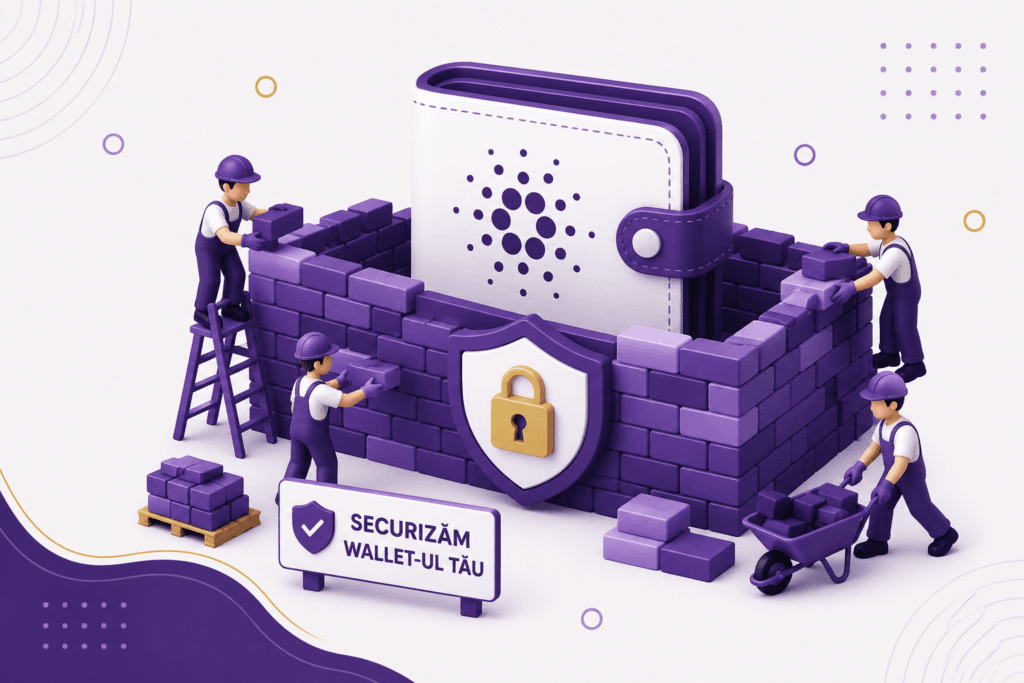
Security is one of the most important aspects when using a crypto wallet. Even though the usage process is simple, a few basic measures can significantly reduce the risk of losing funds.
Enable passwords and additional protection
Most wallets allow setting a local password for access to the application.
It is recommended to:
- use a strong password;
- not reuse old passwords;
- enable additional protections if available.
Use a hardware wallet for large sums
For users who keep larger amounts of ADA, a hardware wallet can offer an additional level of security.
Devices like Ledger or Trezor keep private keys offline and reduce the risk of unauthorized access.
Always check applications and official addresses
Before downloading a wallet or sending ADA:
- check the official website;
- check the wallet address;
- avoid suspicious links;
- do not enter the seed phrase on other sites.
Simple checks made before each transaction can prevent most problems encountered by beginners.
Frequently asked questions about Cardano wallets
What is the best Cardano wallet for beginners?
For most new users, wallets like Lace or Yoroi are among the simplest options available.
They offer:
- quick setup;
- easy-to-use interface;
- support for staking;
- compatibility with the Cardano ecosystem.
Is it free to create a Cardano wallet?
Yes, most Cardano software wallets are free and can be installed directly on a computer or phone.
However, some network transactions involve small blockchain fees when ADA is sent to other addresses.
Can I buy ADA directly in the wallet?
Some wallets offer integrated options for buying cryptocurrencies, but many users prefer to use exchanges or dedicated platforms for purchases.
After users buy ADA in Romania, the cryptocurrencies can be transferred directly to the personal wallet.
Can I use the wallet on my phone?
Yes, many Cardano wallets are available both as browser extensions and mobile applications.
This allows quick access to ADA and transaction management directly from the phone.
What happens if I lose the seed phrase?
If the seed phrase is lost and the wallet can no longer be accessed, the funds cannot be recovered.
For this reason, the seed phrase must be kept offline and in a safe place.
Is a hardware wallet safer?
Yes, hardware wallets are considered one of the most secure methods for keeping cryptocurrencies long-term.
These devices keep private keys offline and offer additional protection against malware attacks or unauthorized access.
Conclusion
Creating a Cardano wallet is a simple process, but security and keeping the seed phrase are extremely important.
For most beginners, a software wallet like Lace or Yoroi is sufficient to start using the Cardano network and store ADA safely.
As users become more familiar with the crypto ecosystem, they can also choose advanced solutions like hardware wallets for additional security and complete control over funds.